Contents › 5. Balloting operations
5. Balloting operations
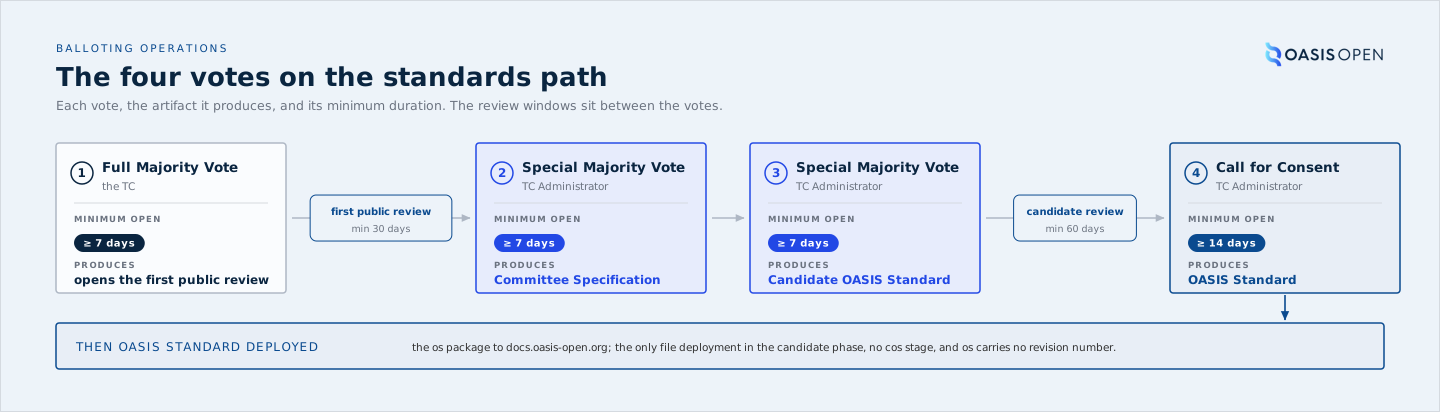
A ballot is how a decision becomes binding. Four of them sit on the standards path:
- the Full Majority Vote that sends a draft to public review,
- the Special Majority Vote that approves the Committee Specification once that review closes,
- the Special Majority Vote that submits the Committee Specification as a Candidate OASIS Standard,
- and the Call for Consent that turns the candidate into an OASIS Standard.
Every one of them runs on the member platform, Higher Logic, and is recorded in the request tracker. The TC casts the votes and the TC Administrator runs the mechanics. On a Special Majority Vote that division is set by policy, which places the conduct of the ballot with the TC Administrator on the chair's request.
This chapter is written to be followed at the screen. Each section names:
- the area of the member platform where the task happens,
- the fields that carry the decision,
- what the platform enforces,
- and what it does not.
5.1 Ballot types and when each is used
Three thresholds cover the whole path:
- A Full Majority Vote passes when more than 50% of all eligible voters vote Yes, whether present or not.
- A Special Majority Vote passes when at least 2/3 of eligible voters vote Yes and no more than 1/4 vote No.
- A Call for Consent is not a TC vote at all: it is an opt-out consent process in which each eligible OASIS Organizational Member at the time of the call is entitled to express consent.
It has three outcomes, not two, and 5.6 sets them out in full:
- no valid objections and it becomes an OASIS Standard;
- fewer than 15 valid objections and the TC has 30 days to resolve them or withdraw, with one attempt at Material changes;
- 15 or more valid objections and it is deemed rejected.
The two-outcome shorthand that treats anything under 15 as a pass was retired on 22 July 2026 and marked do not use, because it deletes the middle case that a single valid objection creates.
The Full Majority Vote opens a public review. The Special Majority Vote approves the Committee Specification after it. Confusing the two is the most common error in this operation, and it is easy to make because both attach to the same specification within weeks of each other. The Full Majority Vote is also the committee's own ballot: the TC runs it and records it in its minutes, and the TC Administrator's task is to confirm it is in the approved minutes before opening the review. The Special Majority Vote is conducted by the TC Administrator on the chair's request.
| Vote | What it decides | Threshold | Who conducts it |
|---|---|---|---|
| Full Majority Vote | approves the draft and the decision to go to public review | more than 50% of all eligible voters vote Yes | the TC |
| Special Majority Vote | approves the Committee Specification after a successful review and resolution of all comments | at least 2/3 of eligible voters vote Yes and no more than 1/4 vote No | the TC Administrator |
| Special Majority Vote | submits that Committee Specification as a Candidate OASIS Standard | at least 2/3 of eligible voters vote Yes and no more than 1/4 vote No | the TC Administrator |
| Call for Consent | turns the candidate into an OASIS Standard | three outcomes, set out in 5.6: no valid objections approves it, fewer than 15 valid objections opens a 30-day resolution window, 15 or more valid objections rejects it | the TC Administrator, to eligible OASIS Organizational Members at the time of the call |
- Owner
- the TC runs its Full Majority Votes; the TC Administrator conducts every Special Majority Vote and the Call for Consent.
- System
- the member platform, Ballots area of the TC workspace, for the TC votes; the all-members voting facility for the Call for Consent.
- Record
- the ballot on the platform, and the request ticket that carries the advancement sequence.
5.2 Roster math and thresholds
Both TC thresholds are measured against N, the number of eligible voters at the moment the ballot opens, and not against the number of votes cast. Get N right and the arithmetic follows:
- Yes votes required is 2/3 of N rounded up,
- and the maximum No votes allowed is 1/4 of N rounded down.
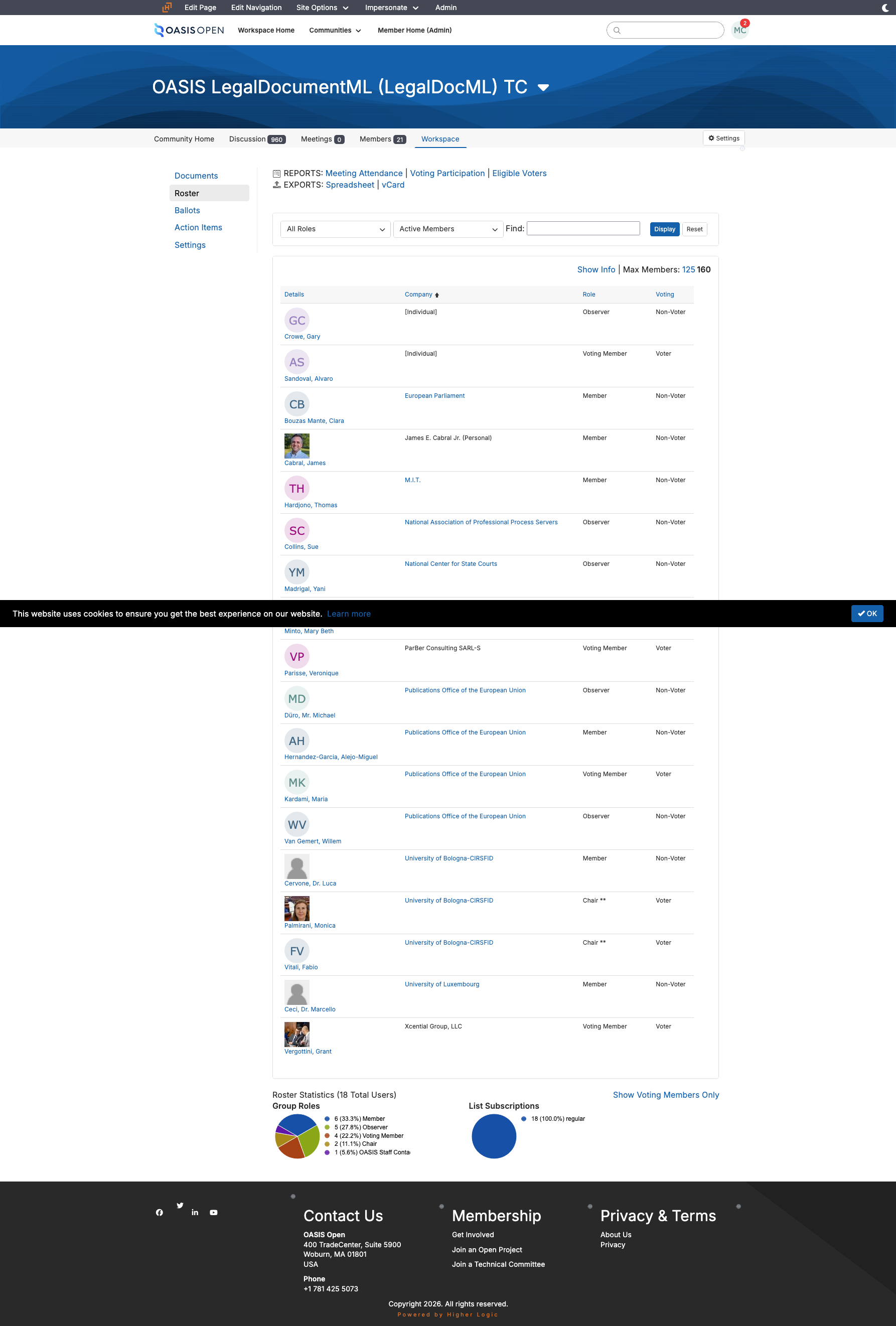
N comes from the Eligible Voters report in the TC's Roster area. The report names the calculation method it used, the row count is N, and the spreadsheet export is kept as the ballot's audit trail. Confirm with the chair that the voting roster is current before opening. That is one line and one reply, not a formal approval.
Eligibility is fixed when the ballot opens. Set voter management to not automatically manage so the eligible set freezes at open, and a roster change during the ballot then leaves N alone.
| N | Yes required | Maximum No |
|---|---|---|
| 4 | 3 | 1 |
| 5 | 4 | 1 |
| 6 | 4 | 1 |
| 9 | 6 | 2 |
| 12 | 8 | 3 |
- Owner
- TC Administrator determines N; the chair confirms the roster is current.
- System
- the member platform, Roster area, Eligible Voters report.
- Permission
- roster access in the TC workspace.
- Timing
- before the ballot opens, because eligibility freezes at open.
- Record
- the exported eligible-voter spreadsheet, kept with the ballot's audit trail.
5.3 Opening a ballot
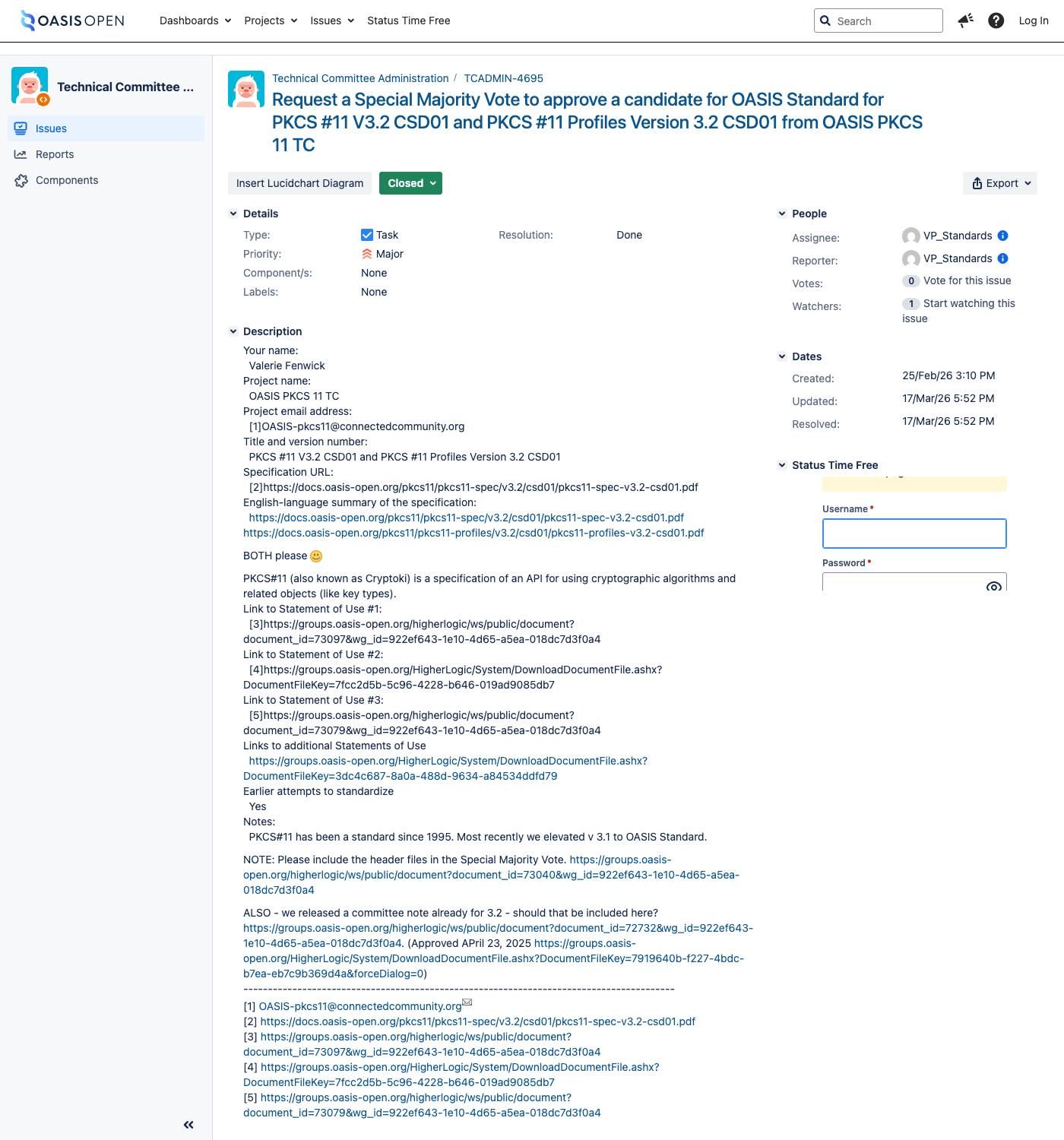
Open the request ticket first, then the ballot. The request precedes the vote in the record even when the same person does both, and current practice keeps that one ticket open through the whole advancement chain, commenting each transition on it rather than opening a ticket per stage. The PKCS#11 v3.2 run is the model: TCADMIN-4695 carried the ballot, the 60-day review and the Call for Consent, and was closed at the end.
Running a ballot means being signed in to the member platform as an administrator, and that sign-in is the point most likely to fail. The platform authenticates through single sign-on backed by a Salesforce identity provider, so when the "Log in" link dead-ends on an unauthenticated Salesforce screen the way in is the platform's own direct login form, and a sign-in failure is diagnosed on the identity-provider side rather than the platform's (8.2 records this).
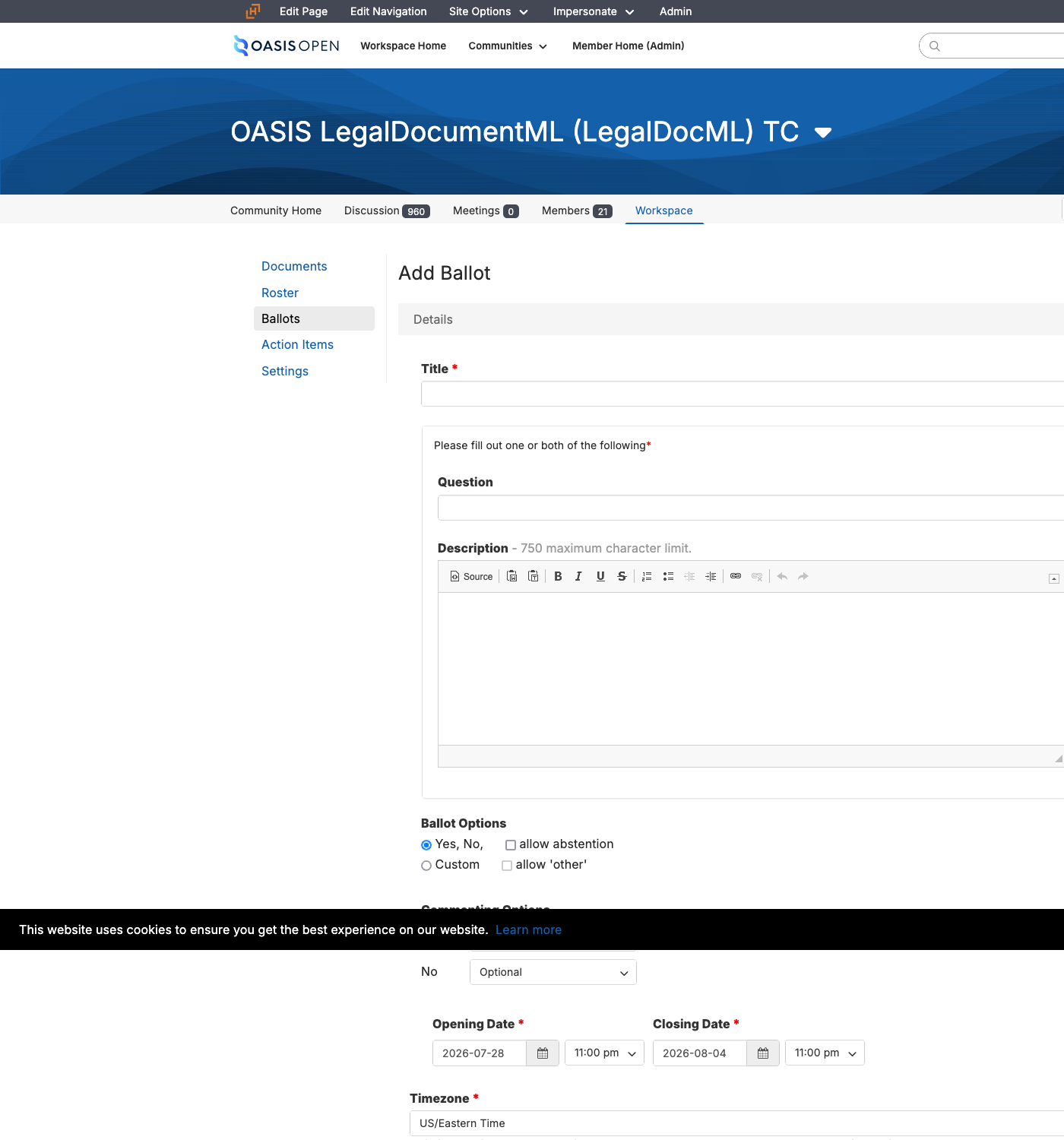
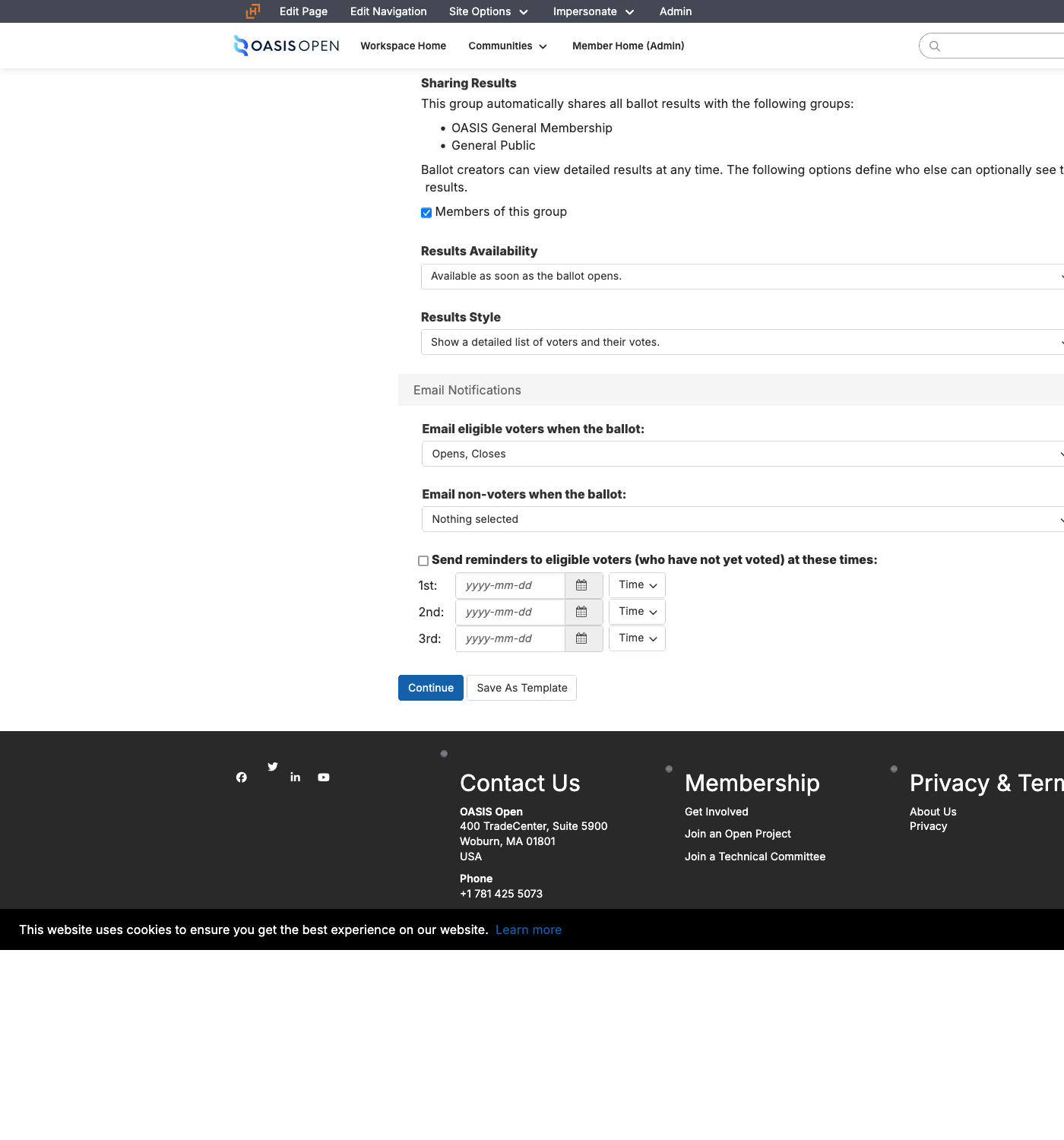
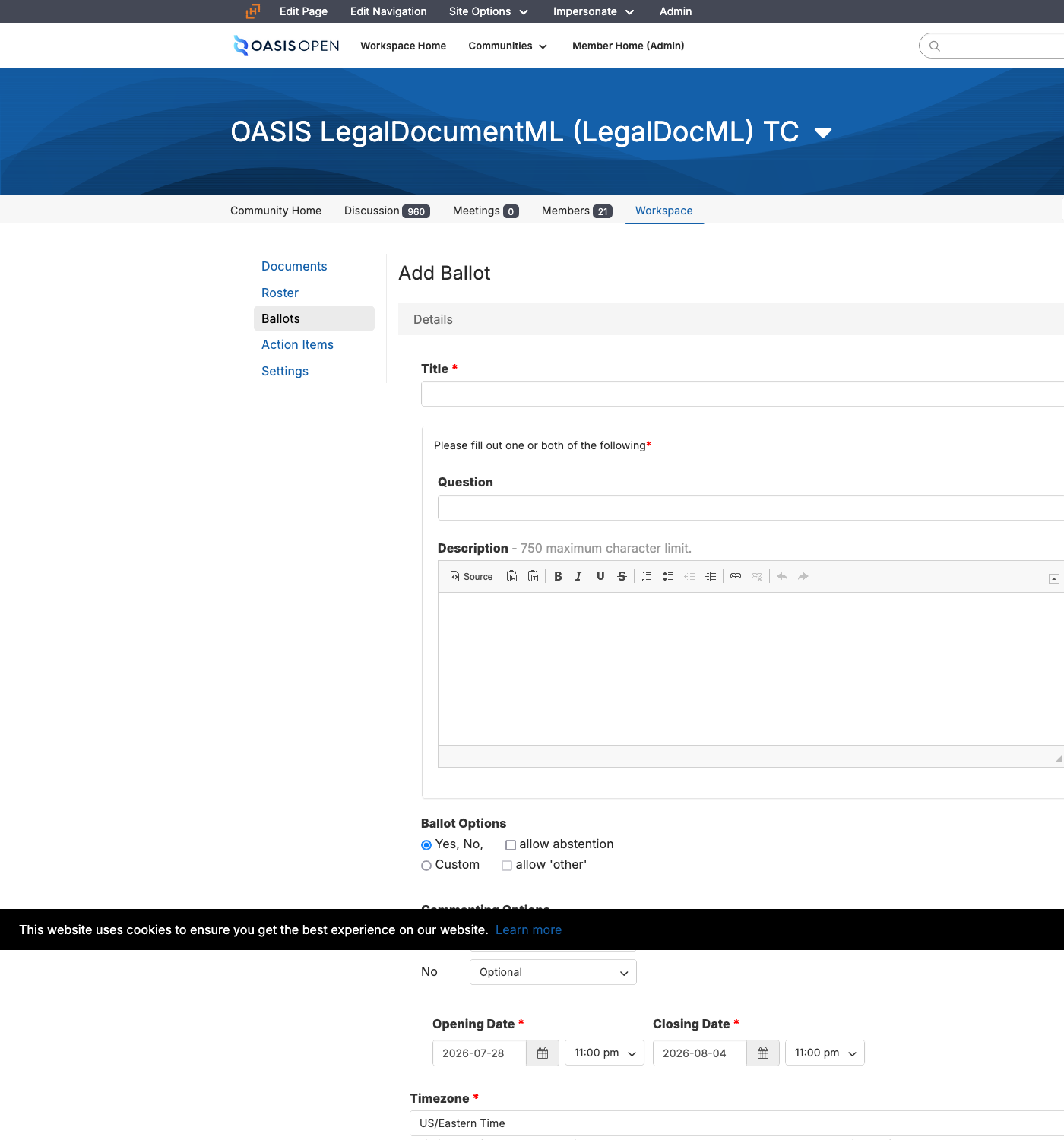
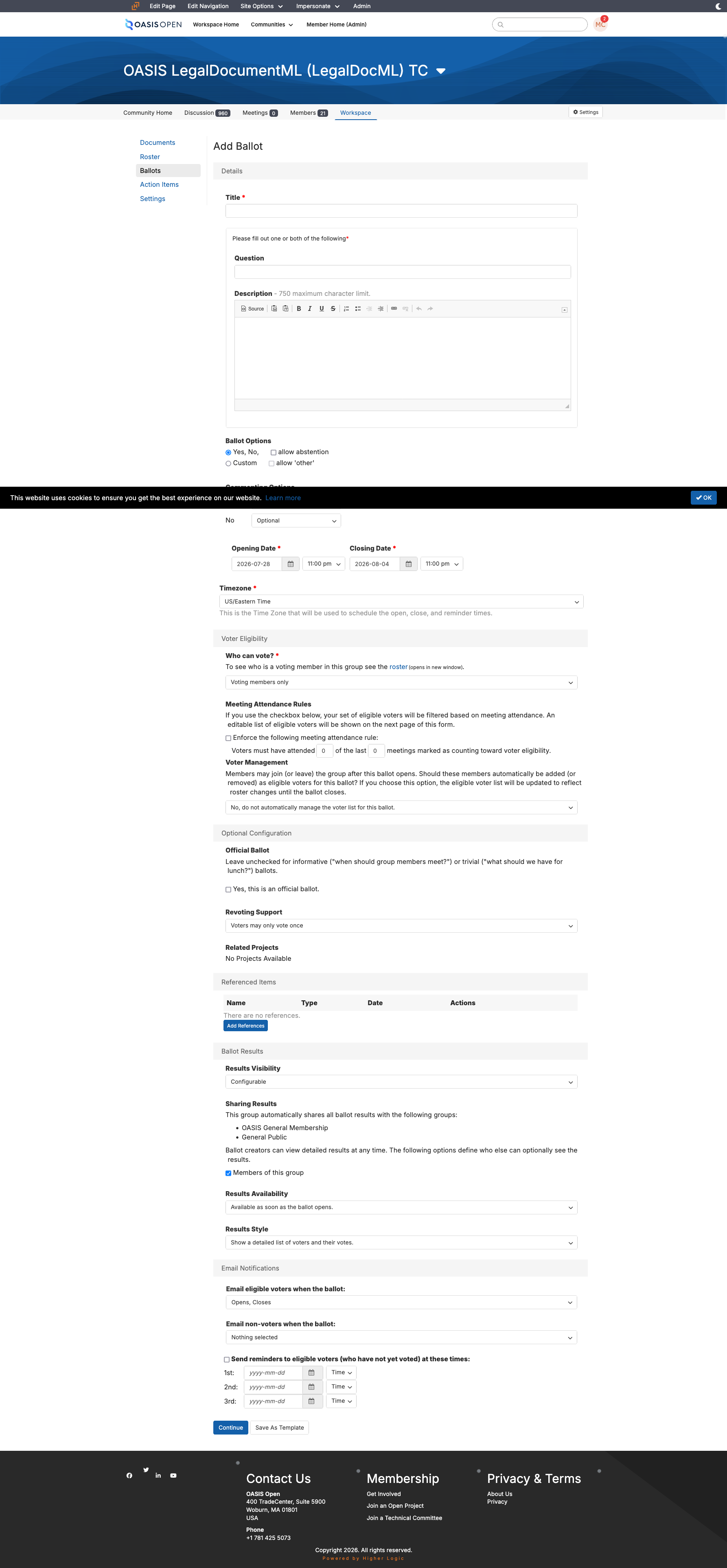
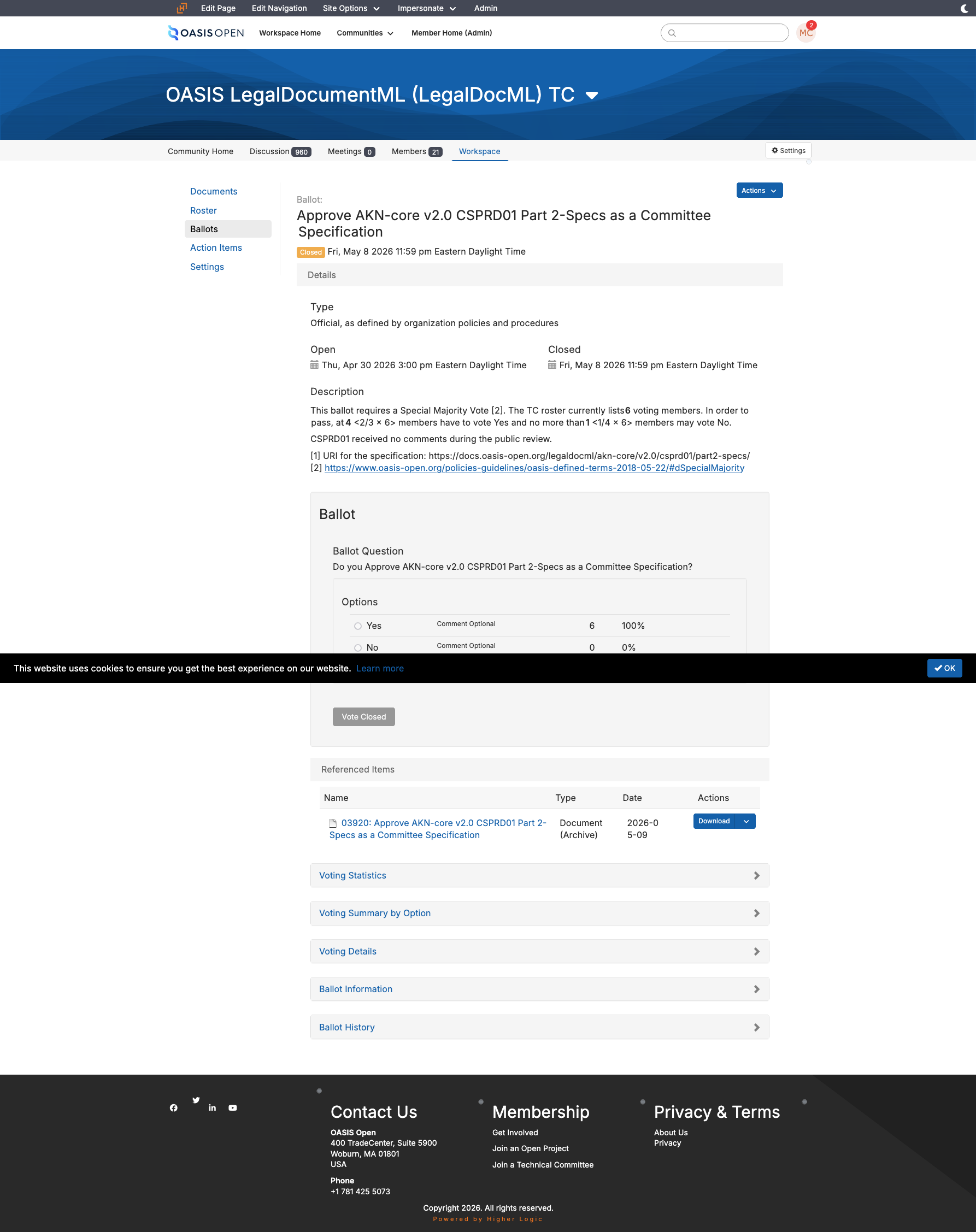
The ballot itself is created in the TC workspace's Ballots area through the Add Ballot form. There is no external balloting tool. The form's defaults already match a seven-day OASIS vote:
- dates from today to seven days out,
- US Eastern time,
- Yes and No options,
- Voting Members only,
- voter management not automatic,
- and email to eligible voters on open and on close.
What you change is:
- the title,
- the question and description,
- and the official-ballot checkbox.
Fill the description through the editor's source view and then toggle back, because filling the visual editor directly is unreliable, and enter the angle brackets around the roster-math fractions as character entities. Open at 1:00 PM US Eastern and close seven or eight days later at 11:59 PM in the same zone; seven days is the floor for an electronic ballot held outside a meeting and eight is the established precedent. Continue then leads to an eligible-voter confirmation page, which is the one place N is confirmed against the roster before the ballot exists. Accept creates the ballot, opens it and emails the voters, and the ballot text cannot be edited afterwards.
| Field on the Add Ballot form | What goes in it |
|---|---|
| Title | Approve [specification title] [stage] as a Candidate for OASIS Standard |
| Question and description | the block below, filled with N, the Yes count and the No maximum |
| Ballot options | Yes and No, see the first defect note at the end of this section |
| Opening date, time, timezone | the opening day, 1:00 PM US Eastern |
| Closing date | opening plus 7 or 8 days, 11:59 PM in the same zone |
| Voter eligibility | Voting Members only, which yields the N-voter set |
| Voter management | not automatically managed, which freezes eligibility at open |
| Official ballot | checked, for anything binding |
| Revoting | the setting used to date is voters may vote once, see the second defect note at the end of this section |
| Referenced items | the rendered ballot document; optionally the Statements of Use entry in Documents |
| Results and sharing | available as the ballot opens, detailed voter list, shared to the general membership and the general public, which is what Committee Operations Process 1.5 requires |
| Email notifications | eligible voters on open and on close |
This is the post that goes into the description field, and it is the only place the roster math is stated to the voters:
Do you approve [SPECIFICATION TITLE] [STAGE] as a Candidate for OASIS Standard?[1]

This ballot requires a Special Majority Vote [2]. The TC roster currently lists
[N] voting members. In order to pass, at least [X] <2/3 x [N]> members have to
vote Yes and no more than [Y] <1/4 x [N]> members may vote No.

[1] URI for the specification:
[CANONICAL STAGE URL]

[2]
https://www.oasis-open.org/policies-guidelines/oasis-defined-terms-2018-05-22/#dSpecialMajority
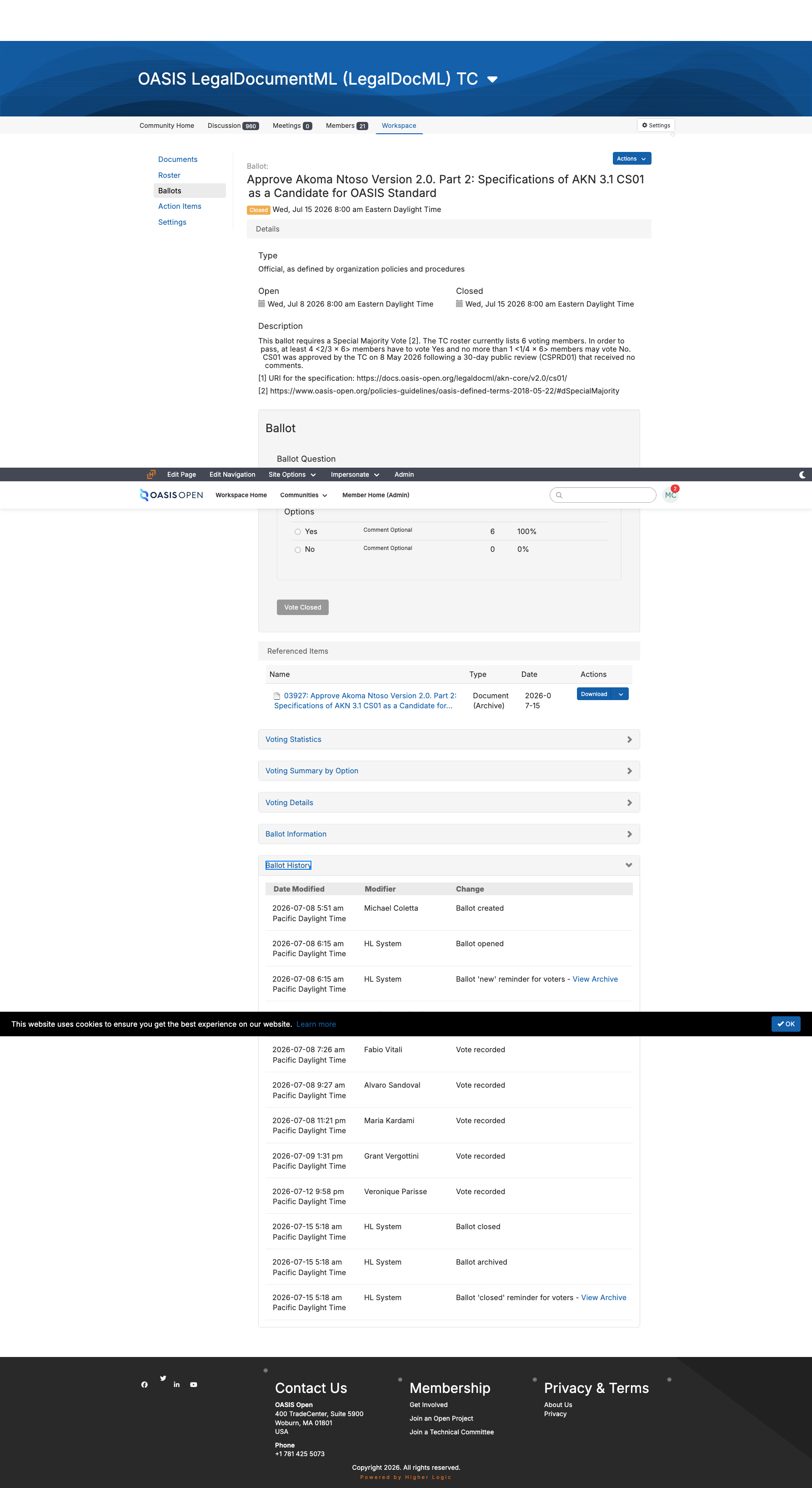
Filled for the LegalDocML submission ballot of July 2026, that reads: a roster of 6 Voting Members, at least 4 members have to vote Yes, no more than 1 member may vote No, and the specification URI is https://docs.oasis-open.org/legaldocml/akn-core/v2.0/cs01/. Statement of Use links do not go in the ballot body. They belong on the ticket and in the Documents area.
Three things the form does not do:
- No minimum-turnout field. There is no minimum-turnout field anywhere on it, and none is needed: Quorum is defined as more than 50% of Voting Members present and governs meetings, not ballots, while both TC thresholds are measured against eligible voters rather than against turnout, as 5.2 sets out. No Quorum requirement attaches to an electronic ballot, so there is nothing on this form for a new operator to look for. Any Quorum language that does appear sits in the free-text description as prose and is never enforced by the system, and if a description ever claims one, turnout is confirmed by hand against whatever it claims.
- No public results by default. Results visibility defaults to administrators of the group, with sharing to the general membership and the general public both off, so the sharing settings in the table above are not a preference: Committee Operations Process 1.5 requires that all web pages, documents, ballot results and email archives of all committees and subcommittees shall be publicly visible, and a ballot left on the platform default is non-conforming.
- No lock on the eligible-voter list. Eligible voters can be edited while a ballot is open, and every such edit is written to the ballot history log.
Two defects to file rather than practices to follow, both of them in the same field map and both against TC Process 1.11:
- The first is the ballot options. The operating procedure sets them to Yes and No with no Abstain, following current practice and the immediately prior ballot on the same TC, while TC Process 1.11 requires that any Work Product Ballot conducted as an electronic ballot permit each voter to choose yes, no or abstain. TC Process 1.11 controls. The open question is whether a ballot submitting a Committee Specification as a Candidate OASIS Standard is a Work Product Ballot within the meaning of that clause. [VERIFY]
- The second is revoting. The setting used to date is that voters may vote once, while TC Process 1.11 requires that eligible voters may change their vote up until the end of the voting period. A single-vote control removes exactly that right. TC Process 1.11 controls here too. This one may turn out to be no defect at all: if the platform's vote-once control still permits a voter to re-open the ballot and change a cast vote, the operation conforms and only the label reads wrong. That has to be checked on the live Add Ballot form. Do not settle it by precedent, because every prior ballot used the same setting and precedent proves only that nobody asked. [VERIFY]
- Owner
- TC Administrator.
- System
- the member platform, Ballots area, Add Ballot form; the request ticket opened immediately beforehand.
- Permission
- ballot-creation rights in the TC workspace; access to the request tracker.
- Timing
- open at least 7 days, in practice 7 or 8; the platform emails eligible voters on open and on close.
- Record
- the ballot with its own identifier and history log; the request ticket carrying the requester, the specification URL and the Statement of Use links.
5.4 Statements of Use
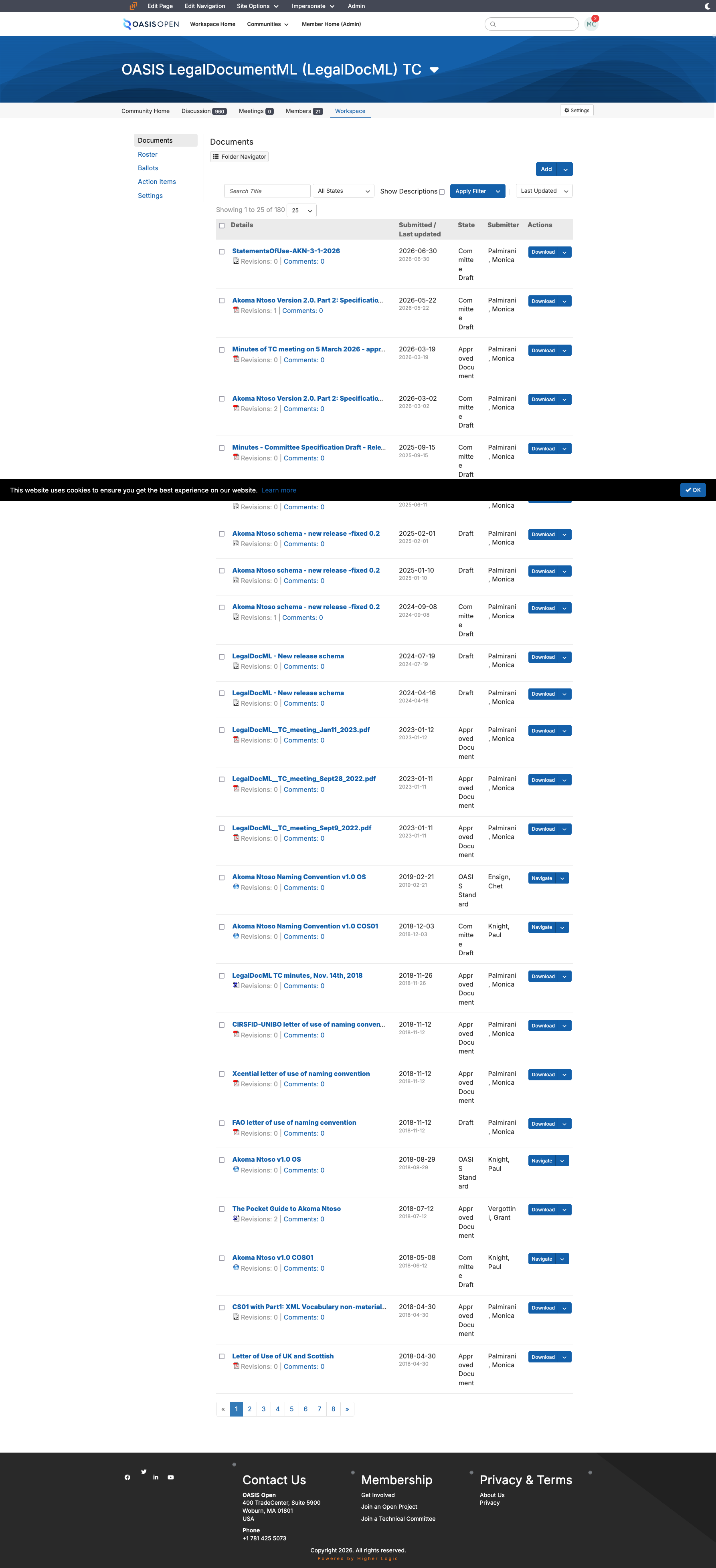
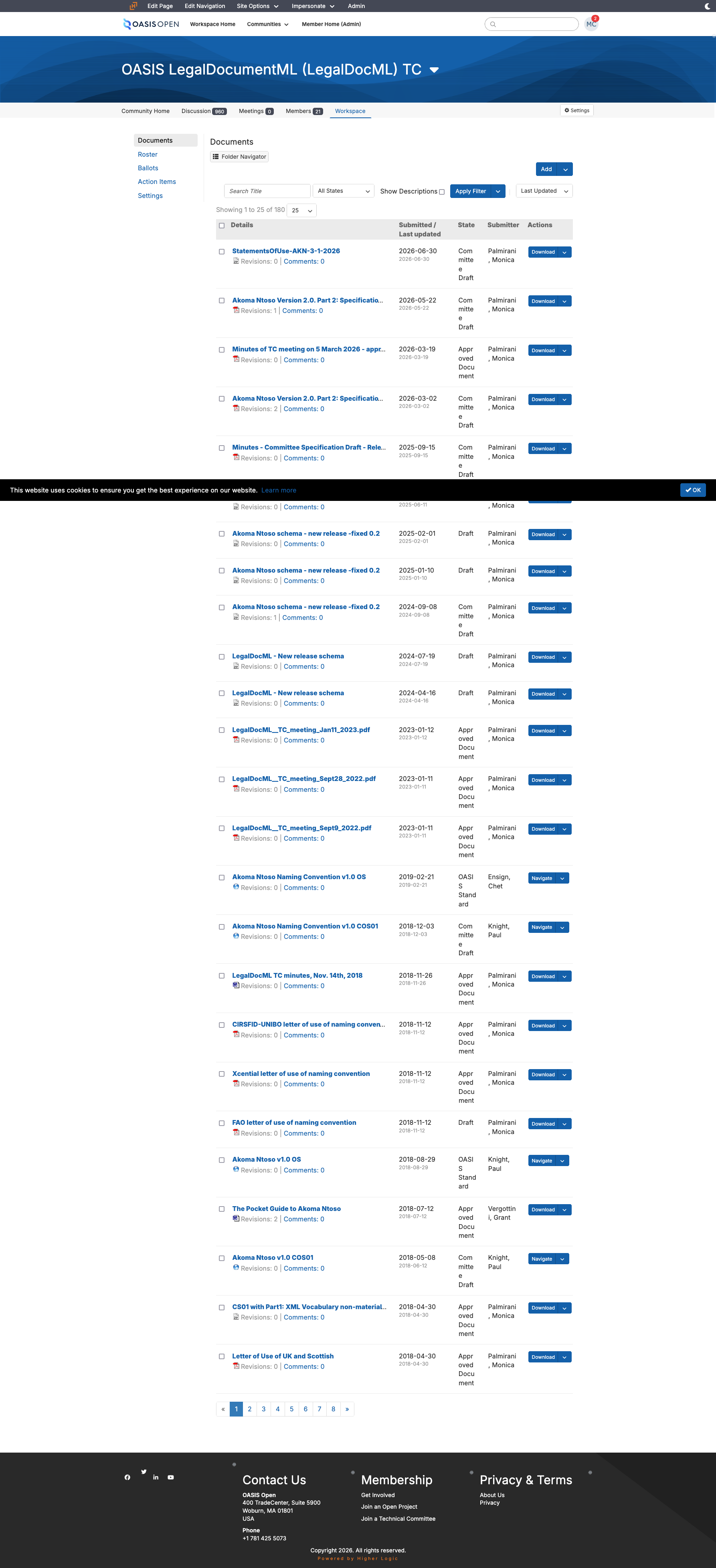
A Special Majority Vote to submit a Committee Specification as a Candidate OASIS Standard requires three Statements of Use referencing that Committee Specification, at least one of them from an OASIS Organizational Member. A Statement of Use is a written statement that does three things:
- it states successful use or implementation consistent with the Work Product's conformance clauses,
- it identifies which of those clauses apply,
- and it states whether interoperability was demonstrated.
It must also be made to a specific version of the Specification and carry that Specification's approval date. Implementation alone qualifies, so do not read a distinction between using and implementing into the binding text. Members upload their statements to the TC's Documents area on the member platform, commonly as a single archive; non-members submit through the TC's public comment facility.
One precondition sits ahead of the ballot and is easy to skip because nothing on the platform prompts for it. A Statement of Use submitted to the TC must be approved by TC Resolution as an acceptable Statement of Use with respect to the Specification. The TC's acceptance is therefore an act the committee takes before the vote, not a consequence of it, and a Special Majority Vote opened on statements the TC never resolved to accept is not valid. Confirm the accepting resolution is in the TC's approved minutes at the same time as the roster check, and cite it on the request ticket.
Take the statements and their links at face value:
- Conformance is not audited,
- Primary Representative endorsements are not chased,
- and the comment facility is not policed as a prerequisite.
Those are real policy and they are handled reactively, only if someone objects. This role runs the mechanics cleanly. Deciding for the TC is not part of it:
- Count the statements,
- confirm the accepting resolution,
- confirm at least one member,
- and record the wording defects.
The three that recur are:
- a wrong Committee Specification number in the prose,
- an unfilled placeholder in the conformance-level line,
- and a hyperlink that resolves to an earlier stage than the prose names.
The last two are recorded and are not disqualifying, because the prose identifies the specification.
The first one is a defect to file. Recording a wrong Committee Specification number and proceeding waives a Required rule: the Defined Terms say a Statement of Use must be made to a specific version of the Specification and must include that Specification's approval date, and a wrong number in the prose is the version identifier being wrong. The Defined Terms rule controls. The face-value posture above is not what is in question, and nothing here asks for an audit; what is in question is that this one waiver contradicts a Required rule and has not been visible anywhere. The reading needed is what a wrong number in the prose does to the statement when the links and surrounding text otherwise identify the specification, and it needs answering before the next Special Majority Vote opens. [VERIFY]
- Owner
- the TC and its members supply the statements and the TC resolves to accept them; the TC Administrator counts and confirms.
- System
- the member platform, Documents area, for member statements; the TC's public comment facility for non-member statements; the TC's approved minutes for the accepting resolution.
- Permission
- read access to the TC's Documents area.
- Timing
- in hand and accepted by TC Resolution before the ballot opens.
- Record
- the Documents entry, cited by its identifier in the request ticket, with the accepting resolution and any defects noted alongside the count.
5.5 Closing a ballot and recording the result
Nothing is required of anyone at close. At the scheduled closing time the platform:
- flips the ballot to closed,
- locks the voting controls,
- and sends the close notification.
The ballot passes when it closes with at least the required Yes count and no more than the allowed No count, both measured against the N frozen at open. Record the outcome by commenting the result and the close date on the request ticket and transitioning it. Put the close day on a calendar or set a scheduled reminder, because the next task in the chain starts on that day and nothing on the platform will prompt for it.
The Special Majority Vote itself carries no membership announcement. The platform has already emailed the eligible voters on open and on close, and the announcements on this path all come after the vote passes. If the result is ever questioned, the answer is in the ballot history log, which timestamps every vote and every eligible-voter modification and attributes each to an account. The log records this activity: on the 2025 board election the roster was modified six times inside the open voting window, four of those traceable to one documented change of a Primary Representative.
- Owner
- TC Administrator.
- System
- the member platform, Ballots area, for the result and the history log; the request tracker for the record.
- Timing
- the platform closes the ballot at the scheduled time with no staff action.
- Record
- the result and close date commented on the request ticket; the row updated in the Google Sheet work tracker (the "TC & Docs Tracker" tab), and the activity log.
5.6 From Candidate OASIS Standard to OASIS Standard
Once the ballot passes, the Committee Specification is a Candidate OASIS Standard and the submission is frozen: no part of it may be changed or altered in any way after being submitted to the TC Administrator. There is no cos stage and no Candidate OASIS Standard publication event. The candidate is the frozen Committee Specification package exactly as it was published, so the only publication event in the whole candidate phase is the Invitation to Comment post. The next file deployment is the OASIS Standard itself, and the os stage never carries a revision number. PKCS#11 v3.2 is the live precedent: its version directories carry csd01, cs01 and os only, and the 60-day review ran against the untouched cs01 tree.
The TC Administrator then opens the candidate review, which runs a minimum of 60 days (chapter 6 covers the opening itself). What governs the completion date is what happens next, and it is not review close plus 14 days. The chair notifies the TC Administrator of the results, with no deadline set on the chair. The TC Administrator opens the Call for Consent within 7 days of that notification, not within 7 days of the review closing. So a prompt chair means the Call for Consent can open the next day, and this is the one task in the chain with no deadline on either side, so it needs tracking on its own. If any comment arrives during the candidate review, a Special Majority Ballot is required before the Call for Consent, begun within 7 days of the chair's request with the Call for Consent following within 7 days of that ballot passing, which adds roughly two to three weeks. The comment position therefore determines the date, and it can be confirmed in the comment facility before any date is quoted to anyone.
The Call for Consent runs in the all-members voting facility to eligible OASIS Organizational Members at the time of the call and is open at least 14 days. It is opt-out: eligible members are assumed to agree to consent and must explicitly use the voting facility if they wish to record an objection. Results are publicly visible during the consent period, an eligible member may change their opinion up until the end of it, and results are published to the membership and the TC within 7 days after the close. There are three outcomes, not two:
- With no valid objections the Committee Specification shall become an OASIS Standard the moment the Call for Consent closes.
- With 15 or more valid objections from eligible OASIS Members it is deemed rejected.
- With fewer than 15 valid objections it does not become an OASIS Standard on the close at all: the TC has 30 days to resolve them or withdraw, and gets only one attempt during the consent process to make Material changes.
The middle outcome is the one this handbook's reader has to run. Two of the determinations in it belong to the TC Administrator and to nobody else. The first is validity: an objection counts only if it was entered on the ballot before it closed and carries a reason or a proposed remedy, and the TC Administrator makes the final determination on whether it is valid, so the objection count that decides the outcome is a judgement, not a number the platform reports. After the TC has decided how to resolve the objections it shall prepare a comment resolution log, approve it by Full Majority Vote and submit it to the TC Administrator.
The TC then has 30 days to act, and each of the three routes open to it is a Special Majority Vote:
- withdraw the submission;
- where no changes were made, ask the TC Administrator to approve the submitted Committee Specification as an OASIS Standard despite the objections;
- or submit an amended Committee Specification, asking for approval directly where the changes are Non-Material and for a second call for consent where they are Material.
The second determination is that one: the TC Administrator decides whether changes to an amended candidate are Material or Non-Material, and a Material finding forces a second call. A second call runs as the first did with two exceptions:
- A valid objection from the first call that is substantively repeated is not counted as valid for the second.
- And if Material changes are deemed necessary to satisfy valid objections to the second call, the candidate shall not become an OASIS Standard.
Failure for any reason does not prevent a later version of the same specification from being submitted again.
Two things about the date:
- The document date on the OASIS Standard is the day the Call for Consent closed with no objections, and the TC is offered an explicit override whose call wins.
- And approval is not publication: the specification is a standard the moment the Call for Consent closes clean, but the package is not on the docs site until it is deployed, so build two to three days between the close and any announcement or press activity. Tell marketing that is what the padding is for.
Do not build observed precedent into a forecast either. Measured review-close to OASIS Standard intervals were 17, 28, 29 and 56 days across four specifications, so nearly all the variance sits in the administrative gap, and a forecast built on those medians reflects other TCs' administrative delays, not the mechanics themselves. The clean path is about 21 days.
One figure in that measurement needs settling before it is repeated. The operating procedure records the Call for Consent itself as running 12 to 15 days in every one of the four. Two of the four reproduce from the record:
- PKCS#11 v3.2 opened 19 May 2026 and closed 3 June 2026, which is 15 days,
- and OpenDocument v1.4 was announced to the membership on 22 September 2025 and was an OASIS Standard on 6 October 2025, which is 14 days.
Both meet the minimum. The 12 at the bottom of the recorded range matches no open-and-close pair in the record, and a 12-day open window would be under the at least 14 days that section 2.8.3 requires. So either the figure measures something other than the open window, or a short Call for Consent was run and needs to be found. Do not quote the range to anyone until that is answered. [VERIFY]
Send the approval announcement with the publication as one batch, because scheduling it separately is how it gets missed.
- Owner
- TC Administrator opens the Call for Consent, publishes the package and writes the approval announcement; OASIS staff post that announcement to the all-members list.
- System
- the request tracker; the publishing operation for the
ospackage; the all-members voting facility and the all-members community on the member platform. - Permission
- access to the request tracker; publishing access; posting rights on the all-members community.
- Timing
- candidate review a minimum of 60 days; Call for Consent opened within 7 days of the chair's notification and open at least 14 days; results published within 7 days of close; 2 to 3 days between close and announcement.
- Record
- the single request ticket carrying the chain; the published
ospackage; the approval announcement.